|
The
Tasks preferences window contains two tabs:
Grid
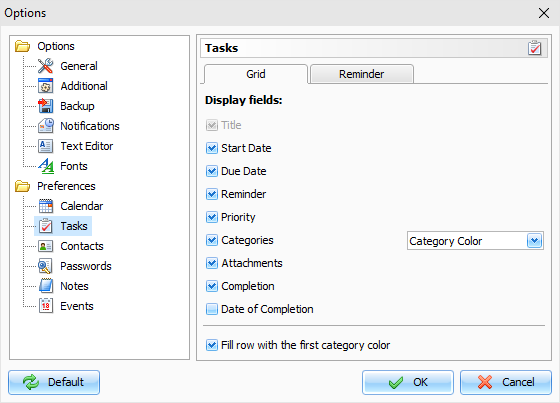
On
this tab you can select fields which will be displayed for the
Records list in the Tasks mode. To change the fields order, you can
simply drag an appropriate column to a new position in the main
window.
Also you can set up how to show the
categories:
Category
Color - a color box, filled by
a category color will be displayed.
Category
Name - a category name will be
displayed.
If the "Fill row with the first
category color" option is on,
C-Organizer will fill entries, which have categories, by a first
category color.
Reminder
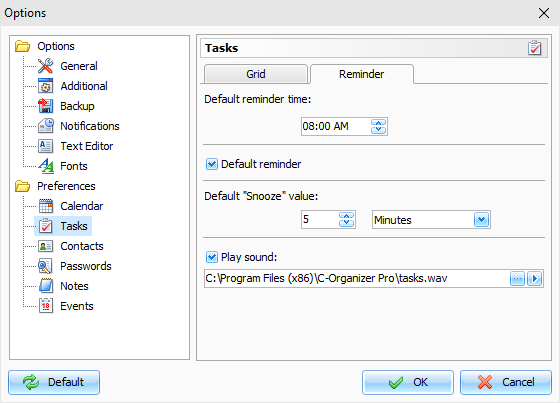
Here you can change the following
options:
Default reminder time
- using this option you can set up a
default reminder time for the new tasks ( "Remind at"
value).
Default reminder
- when this option is on, reminder
will be automatically activated, when you create a task with the
start or due date.
Default "Snooze" value
- this options allows to choose
default snooze value for the Reminder window.
Play sound - use this option to turn the sound alarm on/off,
select an initial sound file and test-play it.
|