|
C-Organizer installation package
comes with an empty database file. You can use this database or
create a new database file by choosing File - Database Manager
main menu item.
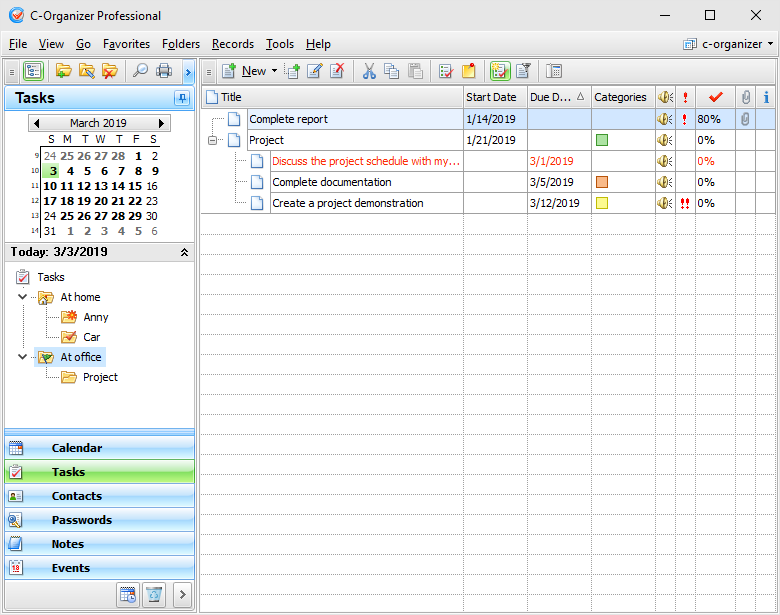
In
the left part of the program's main window located calendar,
documents tree and buttons for choices between the different
program's modes: Calendar, Tasks, Contacts, Passwords, Notes, Events, Today and Deleted Items.
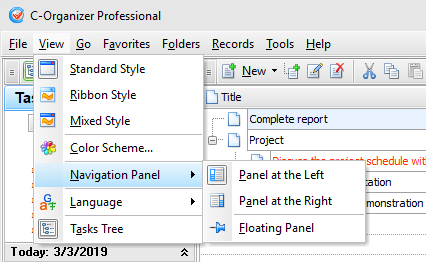
You can show, hide left panel, or
change its position using "View - Navigation
Panel" main menu item:
The
right part is intended for showing the available information. In
the top of the window, there is a main menu which can help you to
access practically all functions of the program.
If
you're closing the window by pressing the button,
"Close
window", at the upper right
corner of the window, the
program will be minimized to system tray and it will continue to
run there. If you want to quit
the program, use the command "File - Exit" " of the main menu.
You
can also right click the C-Organizer Pro icon in the system tray
and then select "Exit".
For
easy access to the program, at start C-Organizer Pro creates an
icon in system tray near the Windows system clock. This icon
displays the current date.

You
can open the main program's window by clicking this icon with the
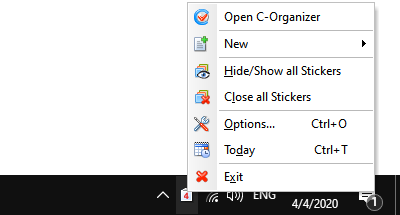
left mouse button, or if you click the right mouse button, you will
see a context menu with the most frequently used functions of the
program:
·Open
C-Organizer - opens the main
window of the application, just as the left mouse button click
does.
·New
- allows to create a new entry
without opening the main window.
·Hide/Show
all Stickers - opens or
minimizes all opened sticker windows.
·Close all
Stickers - closes all opened
sticker windows.
·Options - the program settings.
·Today - C-Organizer will be opened in "Today" mode,
spanning the chosen day summarized information: appointments,
tasks, birthdays and events.
·Exit - exit from the program (is similar to the
command "File - Exit" of the main menu).
|