|
If
the Reminder option has been turned on for a contact entry, the
program will show a dialog box at the set time with a complete
information about a contact, and will play a sound file or carry
out other actions you scheduled (like opening documents,
program startup etc).
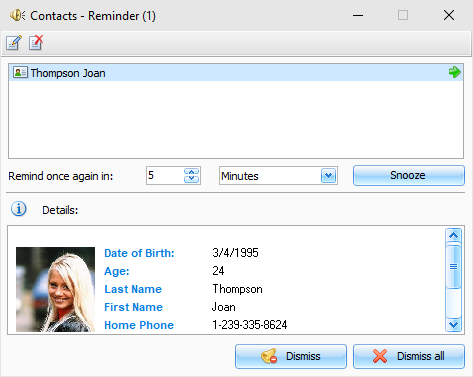
The
Reminder dialog box contains the list of entries, for which the
reminders have gone off, and gives the complete information about
the contact person.
You
can open a contact for editing (the "Edit" button) or delete a record (the
"Delete" button) in this dialog box.
Moreover, you can change a reminder time by
setting an appropriate time lag and clicking the
"Snooze" button.
Press "Dismiss" button to dismiss selected reminder or
"Dismiss
All" to dismiss all shown
reminders.
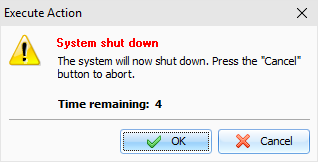
If
computer shutdown, restart, or Windows user log off options have
been activated in the extended options, when the reminder goes off,
a dialog window will appear. You can use this dialog window to
cancel previously scheduled commands (computer shutdown, restart,
user log off).
|