|
C-Organizer Professional supports
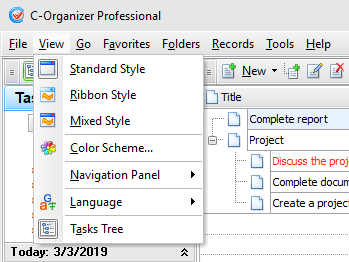
various interface types and colors. To change interface type,
please use the "View" program main menu item.
Here you can choose one of two
styles: Standard Style
or Ribbon Style.
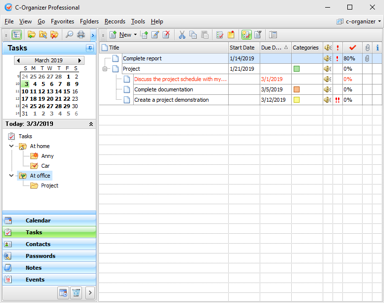
Standard
Style
This style represents standard
main menu and toolbars:
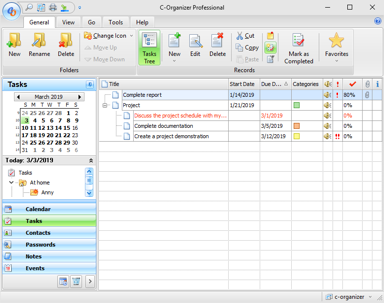
Ribbon
Style
This style replaces main menu and
standard toolbars with Ribbon panels, like in MS Office:
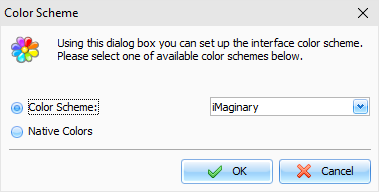
To change the color scheme, please
use the "View - Color
Scheme" program's main
menu item.
In the opened window you can
choose any desired color scheme or select "Native Colors". For the
"Vector" color schemes you can also choose any of available color
palettes. In the "Native Colors" mode C-Organizer will use default system settings for the colors
and controls painting.
If you turn on the "Apply skin to
a window frame" option, all windows frames will be skinned too.
Otherwise will be used standard windows frames.
Important
note:
Since version 10.0 we've changed
default program's interface. If you would like to return old
default interface, please follow these steps:
·Select Standard interface
style in the "View" tab.
·Click the "File - Color
Scheme" main menu item.
·In the "Color Scheme" window
choose the "iMaginary" skin and turn off the "Apply skin to a window frame"
option.
|