|
Using
templates, you can save an existing fields collection in the
Contact entry and use it in the future when adding new records. To
begin work with the templates press "Templates" button at the top of the additional fields
table. You will see the dropdown menu:
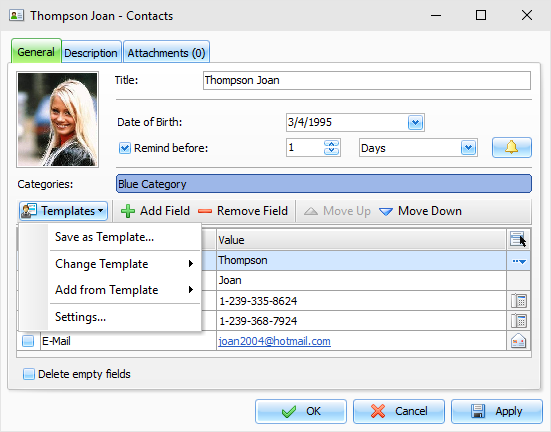
Commands description:
Save as Template:
click this item to save current
fields collection as one of existing templates or as a new
template.
Change Template:
use this feature to replace existing
fields collection with the selected fields template.
Be careful:
all entered information (field
values) will be lost during this operation.
Add from Template:
use this feature to add fields from
the selected template to existing fields collection.
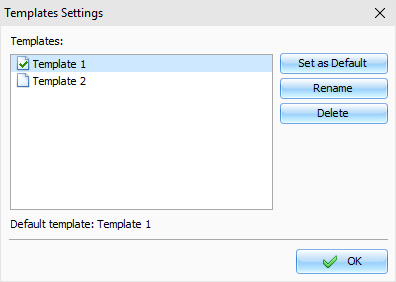
Settings: will open the "Templates settings" dialog box,
which lets you rename templates, delete templates, and choose a
default template, as well.
|