|
Advanced Diary lets you protect your data with a
password. To activate the password protection function, click the
"Tools -
Password protection" program's
main menu item.
You
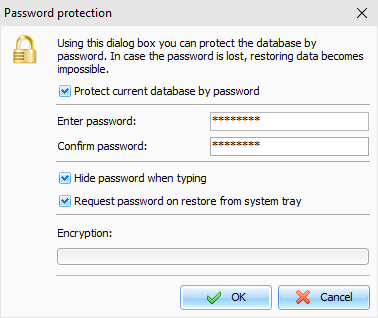
will see a dialog box, where you will need to mark the
"Protect
current database by password"
option, then enter and confirm your current database
password.
If
you select option Request password on restore
from system tray, the program
will request password each time user tries to access main window
from the system tray.
Click
"OK" button and
wait while encryption will be completed.
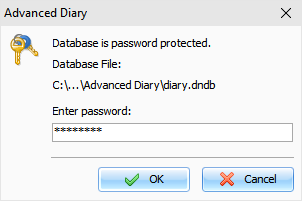
From
now on, the program will request a password for accessing
data.
Warning: When you protect a database with a password, all
information will be encrypted using very strong AES encryption
algorithms. Be careful, if you forget your password, you will not
be able to access your information.
To
deactivate password protection, click the "Tools - Password
protection" program's main
menu item. If the function is active, Advanced Diary will request a
password before open the "Password protection" window.
Unmark the
"Protect
current database by password"
option in this window and the password protection will be
deactivated.
Click "OK" button and
wait while decryption will be completed.
Note: when you connected to a server, this function is
available for database administrator only.
|