|
Backup function is used to create backup copies of
Advanced Diary databases. Active database will be saved into a single file. This
file name will contain a database name and backup date.
For
example: if you are working with diary.dndb file, backup copy of this file will be
named diaryYYYY-MM-DD.dndb.backup,
where YYYY - year, MM - month and DD - day of backup operation..
You
can use this file to restore database if it will be necessary.
To
make a backup copy, click the "File -
Backup" Advanced Diary main menu item.
After
that you will see Backup dialog box:
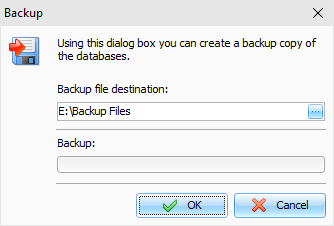
Specify the backup files location and press the
"OK" button.
You
will see a progress indicator of the backup at the bottom of the
window.
Before create a backup copy, Advanced Diary will
pack the database file automatically. When backup is completed, you
will receive an appropriate message.
Note: Advanced Diary can create the backup copies
automatically. See the Backup options help topic for more
details.
When you
connected to a server, this function is available for database
administrator only.
|