|
The
Backup Options window looks as following:
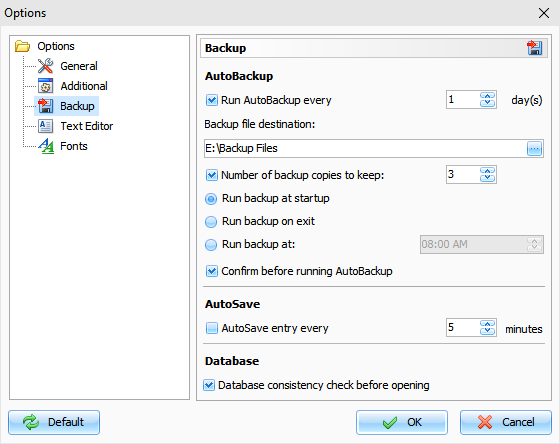
Using
this window, you can activate an auto backup option, set up an
interval of creating backup copies, specify the backup files
location and number of copies to keep.
Also
you can set up when you would like to create backup copies: at the
program's startup, on exit, or at a specified
time.
If
Auto Backup option is active, you will see the Auto Backup
confirmation dialog box:
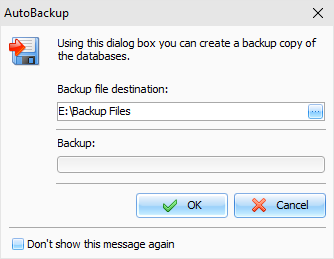
You
can forbid showing this window by turning on the
"Don't show
this message again"
option or by turning off an
appropriate option in Backup options.
In
this case you will see only backup progress window:
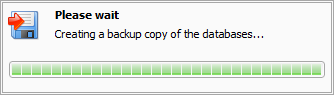
This
window will be closed automatically.
Note:
when you connected to a server,
AutoBackup function is disabled.
AutoSave entry every
- if this option is active, the
Advanced Diary will save changed records automatically every
selected period of time.
Database consistency check
before opening - if this
option is active, Advanced Diary will check database file before
open it. If file is damaged or contains any incorrect information,
it will be repaired automatically.
|